

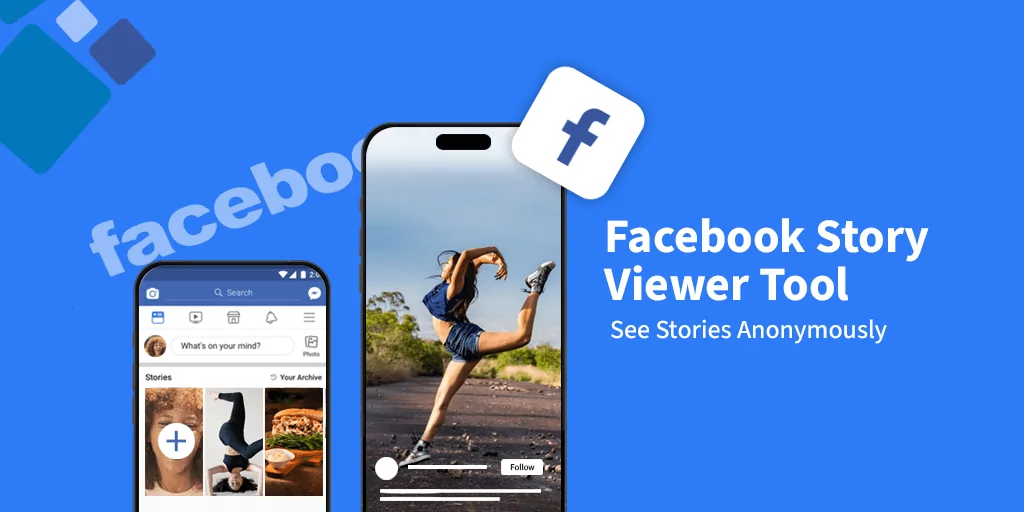
Stories have become the heartbeat of social media. They’re short, engaging, and often more personal than static posts. On Facebook, stories attract billions of views daily, making them a prime tool for personal expression and business marketing. Yet many users wonder about one key feature—the Facebook story viewer. Who can see your stories? How does the viewer list work? And what’s the truth about anonymous story viewing? This comprehensive guide dives deep into everything you need to know.
What Is a Facebook Story Viewer?
A story viewer is the tool inside Facebook that lets you see who has watched your story. Whenever you upload photos, videos, or text updates to your story, the platform tracks the audience and gives you insights into the viewers.
Unlike regular feed posts, stories vanish after 24 hours. This makes them feel more spontaneous and authentic. For example, a student might share behind-the-scenes study notes for one day, or a small bakery could show daily fresh arrivals. Both benefit from the quick, casual nature of stories.
Key distinctions between stories and posts:
| Feature | Facebook Stories | Facebook Posts |
| Lifespan | Disappears after 24 hours | Stays permanently unless deleted |
| Viewer tracking | Shows a complete viewer list | No list, only likes/comments visible |
| Format | Vertical, mobile-first | Flexible (image, text, video) |
| Engagement | High due to limited time availability | Slower, depends on algorithm reach |
How the Facebook Story Viewer Works
The process is straightforward:
- You upload a story through the mobile app or desktop.
- Friends and followers can watch it within 24 hours.
- Facebook records each viewer and updates the list in real time.
The viewer list is one of the most interesting parts. You’ll see exactly who watched, which can feel reassuring or sometimes surprising. It’s worth noting that Facebook doesn’t show the number of times someone has rewatched—only that they viewed it once.
Visibility depends on your privacy settings. If your account is private and you share only with friends, only they can view your stories. Public profiles allow anyone following you to see them.
Key Features of the Facebook Story Viewer
The viewer isn’t just a list of names. It offers several valuable features:
- Detailed viewer list: See exactly who watched your story.
- Engagement tracking: Polls, quizzes, and sticker interactions show who interacted, not just who viewed.
- Story insights for pages: Businesses can check reach, forward taps, and exits to measure performance.
- Privacy filters: Control who sees stories and who doesn’t.
For example, a clothing brand may notice that their story with a product poll received double the responses compared to a plain image story. This data can guide future campaigns.
How to Use the Facebook Story Viewer on Different Devices
Using on Mobile (iOS & Android)
- Open Facebook app.
- Tap your story at the top of the feed.
- Swipe up to reveal the list of viewers.
The mobile experience is smoother, optimized for vertical content. You can quickly check reactions and respond to direct messages triggered by your story.
Using on Desktop
- Log into Facebook.
- Click “Your Story” on the right side of the homepage.
- Hover and click to see the viewer list.
The desktop interface is slightly limited compared to mobile. For example, adding interactive stickers is easier on the app than on the browser version.
Privacy and Control in the Facebook Story Viewer
Privacy is one of the biggest concerns. Users often ask if it’s possible to view stories anonymously. The answer: not directly. Facebook notifies the story owner of every viewer.
However, you have tools to manage visibility:
- Hide stories from specific users: Useful if you want to share with friends but not coworkers.
- Custom audience lists: Select groups who can or cannot see your updates.
- Archive control: Save your stories privately after they expire.
Myth vs Fact:
- Myth: You can use airplane mode to view anonymously.
- Fact: Once you reconnect, Facebook updates the view count.
Why Businesses Should Care About the Facebook Story Viewer
For businesses, stories are more than fun—they’re a goldmine of engagement data. The viewer list shows not only who’s watching but also who’s most engaged.
Benefits for businesses:
- Audience insights: Identify your most loyal viewers.
- Engagement testing: Try polls or stickers to see what resonates.
- Conversion funnel: Use stories to direct traffic to products or websites.
Case Study:
A local coffee shop noticed that their morning story updates (showing fresh brews) had three times more views than evening ones. By adjusting posting schedules, they increased in-store visits by 20%.
Common Issues with the Facebook Story Viewer and Fixes
Like any feature, glitches occur.
Frequent problems:
- Viewer list not updating: Try clearing cache or reinstalling the app.
- Story not loading: Weak internet connection is often the culprit.
- Viewer list missing: Ensure your app is updated to the latest version.
Quick fixes:
- Restart your device.
- Switch from Wi-Fi to mobile data.
- Update the app from Google Play or App Store.
Alternatives and Third-Party Facebook Story Viewer Tools
Search engines are full of websites and apps claiming to let you view stories anonymously. While tempting, most come with risks.
Risks of third-party tools:
- Security threats: Potential malware or data theft.
- Account bans: Violating Facebook’s policies can suspend your profile.
- Inaccurate results: Many don’t even work as promised.
Safer alternatives:
- Create a secondary account if anonymity is critical.
- Use Instagram’s story sync (if the account also shares on Instagram).
Expert Tips to Get More Views on Facebook Stories
If you want your story viewer count to grow, strategy matters.
Proven tactics:
- Post at peak times: Early morning or late evening often works best.
- Use interactive stickers: Polls, quizzes, and Q&A drive engagement.
- Leverage cross-promotion: Share Instagram stories directly to Facebook.
- Be consistent: Post daily rather than randomly.
Creative ideas:
- Behind-the-scenes content
- Flash sales or limited offers
- Tutorials or “how-to” mini-guides
- Customer testimonials in story format
FAQs about Facebook Story Viewer
Q1: Can you tell who viewed your story multiple times?
No, Facebook only shows a single view per user.
Q2: Can you view stories without being friends?
Only if the story is public. Otherwise, no.
Q3: Do people know if you screenshot their story?
Unlike Snapchat, Facebook does not notify users about screenshots.
Q4: What’s the difference between story viewer and post reach?
Story viewer shows exact names. Post reach shows estimated numbers.
Final Thoughts on Facebook Story Viewer
The story viewer is more than a simple list of names—it’s a tool for connection, engagement, and strategy. Whether you’re sharing personal updates with friends or analyzing metrics for a brand, knowing how it works can make a huge difference.
Stories are temporary, but the impact they create can last much longer. Use them wisely, experiment with formats, and always pay attention to your viewer insights. That’s the secret to unlocking the real potential of Facebook stories.












Leave a Reply