

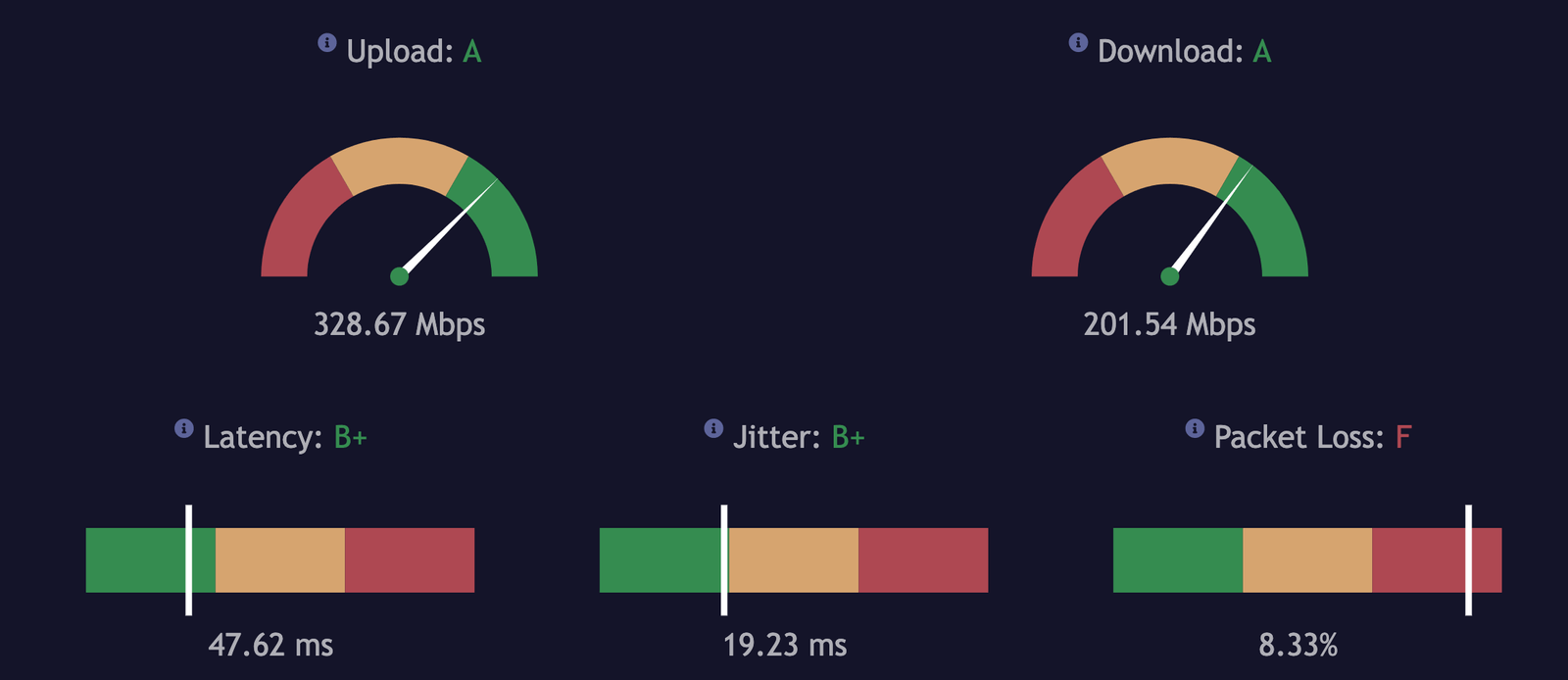
When you shop for internet service, numbers like 100 Mbps, 300 Mbps, or even 1 Gbps are advertised everywhere. But what do those numbers actually mean in practice? More importantly, is 300 Mbps fast enough for your home, office, or daily online activities?
The short answer is yes, 300 Mbps is considered a fast speed for most households. However, “fast” is relative and depends on how you use the internet, how many people are connected, and what devices are running simultaneously. In this guide, we’ll break down internet speeds in detail, explain what 300 Mbps can handle, and compare it with other popular plans so you can decide if it’s right for you.
Is 300 Mbps Fast?
At its core, 300 Mbps means your connection can transfer 300 megabits per second. Since there are 8 bits in a byte, this translates to a maximum download rate of about 37.5 MB per second. In practice, you rarely get the full theoretical speed because of network overhead, router limitations, and Wi-Fi interference.
Still, a 300 Mbps connection is considered high-speed internet by modern standards. According to the FCC broadband guidelines, the baseline for “high-speed” is just 25 Mbps download and 3 Mbps upload. Compared to that, 300 Mb is more than enough for most tasks.
Understanding Internet Speed Basics
What Does 300 Mbps Actually Mean?
Internet speed is measured in megabits per second (Mbps). Many people confuse this with megabytes (MB), which are larger units. Here’s a quick breakdown:
- 1 byte = 8 bits
- 300 Mbps ≈ 37.5 MB/s
To put this into perspective:
| File Type | Average Size | Download Time at 300 Mbps |
| 3-minute song (5 MB) | 5 MB | Less than 1 second |
| HD movie (3 GB) | 3,000 MB | ~80 seconds |
| 4K movie (20 GB) | 20,000 MB | ~9 minutes |
| 50 GB video game | 50,000 MB | ~22 minutes |
As you can see, large files that might take hours on a slower plan can be downloaded in minutes with 300 Mbps.
Factors That Affect Perceived Speed
Even if your plan advertises 300 Mbps, the experience can vary depending on:
- Number of users: A household with 6 people streaming and gaming at once will divide bandwidth.
- Type of activities: 4K streaming requires more than casual browsing.
- Connection type: Ethernet usually provides full speed, while Wi-Fi can drop performance.
- Network congestion: Your ISP’s performance during peak hours matters.
- Hardware limits: Old routers or outdated devices may not support full speeds.
What Can You Do with 300 Mbps?
Streaming Quality
One of the most common uses for high-speed internet is streaming. According to Netflix, streaming in Ultra HD (4K) requires around 25 Mbps per device. With 300 Mbps, you could theoretically stream 12 4K videos at once without buffering.
That means your family can watch movies in the living room, while someone else binge-watches a series upstairs, and another person streams YouTube—all with zero lag.
Online Gaming
Gaming is less about raw Mbps and more about latency (ping). However, downloading large updates or new games benefits from higher speeds. For example, a 90 GB update that could take several hours on a 50 Mbps connection might finish in under 45 minutes with 300 Mbps.
Online play itself usually needs only 3–6 Mbps, so a 300 Mb plan is more than enough. Where it really helps is when several gamers are playing simultaneously while others are using the internet.
Remote Work and Video Calls
If you work from home, stable video calls and fast file sharing are essential. Platforms like Zoom recommend 3–4 Mbps for HD calls and 6 Mbps for group HD calls. With 300 Mb, you can handle dozens of meetings while other devices stream, download, and browse.
Large file uploads to cloud storage, like Google Drive or Dropbox, also benefit greatly. If your upload speed matches your download (as with fiber), you’ll see dramatic improvements.
Smart Home Devices
Modern homes are filled with connected devices: cameras, smart speakers, thermostats, and appliances. Each device uses small amounts of bandwidth, but when combined, they add up. A 300.0 Mbps plan comfortably supports 50+ devices simultaneously, making it ideal for smart homes.
Is 300 Mbps Fast for a Family or Business?
Small Household
For 1–3 people browsing, streaming, and gaming casually, 300 Mb is more than enough. It may even be more than necessary unless you’re heavy downloaders.
Large Household
With 5–7 members all connected, bandwidth demand increases quickly. 300.0 Mbps handles multiple 4K streams, online gaming, large downloads, and dozens of smart devices without hiccups.
Small Business or Office Use
In a small office with 10–15 employees, 300 Mb provides reliable speed for video calls, cloud apps, and file sharing. However, larger businesses with heavy cloud reliance may benefit from gigabit speeds.
Comparing 300 Mbps to Other Speeds
100 Mbps vs 300 Mbps
| Activity | 100 Mbps | 300 Mbps |
| HD Streaming | Smooth | Smooth |
| 4K Streaming | 3–4 devices | 8–12 devices |
| Large Game Download (50 GB) | ~70 minutes | ~22 minutes |
| Remote Work (HD calls) | 4–6 users comfortably | 12+ users comfortably |
For small households, 100 Mbps may be fine. But families, gamers, and remote workers benefit from the extra breathing room of 300 Mbps.
300 Mbps vs 1 Gbps
Gigabit internet is impressive, but do you really need it?
- 1 Gbps = ~125 MB/s download speeds.
- Perfect for tech-heavy households, streamers, and businesses transferring huge files.
- For everyday families, 300 Mb is usually the sweet spot between cost and performance.
Think of it like cars: 1 Gbps is a sports car, while 300.0 Mbps is a reliable SUV—plenty of speed for most situations.
Do You Really Need 300 Mbps?
Here are some guidelines to decide:
- Light users (1–2 people): Browsing, social media, occasional streaming = 50–100 Mbps.
- Moderate users (3–5 people): Multiple streams, gaming, video calls = 200–300 Mbps.
- Heavy users (6+ people): 4K streaming, remote work, large downloads = 300+ Mbps.
- Businesses: Offices with 10–20 employees = 300 Mb minimum.
Signs you may need to upgrade:
- Frequent buffering during Netflix or YouTube.
- Lag during online meetings.
- Slow downloads for large files or updates.
- Smart devices dropping offline often.
If you never experience these issues, 300 Mbps may even be more than you need.
FAQs About 300 Mbps Internet Speed
Is 300 Mbps good for gaming?
Yes, online games typically need less than 10 Mb. What matters more is latency, but the extra speed helps with downloads and updates.
How many devices can 300 Mbps handle?
You can connect around 20–30 devices comfortably, and even more if they’re low-bandwidth like smart bulbs.
Is 300 Mbps good for working from home?
Absolutely. It’s more than enough for video calls, file transfers, and cloud apps.
Do you get the full 300 Mbps over Wi-Fi?
Not always. Wi-Fi interference, distance from the router, and old hardware can cut speeds. For maximum performance, use Ethernet or upgrade to a Wi-Fi 6 router.
Conclusion
So, is 300 Mbps fast? The answer is yes—more than fast enough for most households and small businesses. It supports multiple 4K streams, online gaming, remote work, and dozens of smart devices without breaking a sweat.
However, the real question isn’t just whether 300 Mb is fast, but whether it’s the right fit for your needs. If you’re a small household of light users, you may be paying for more than you need. On the other hand, families with gamers, streamers, and remote workers will find 300 Mb a sweet spot that balances speed and cost.
Before upgrading, run a speed test, consider how many devices are connected, and think about your future needs. Internet is like electricity—having more than you need is always better than falling short when everyone’s online.









Leave a Reply